Friday, December 30, 2011

Extended Controls v5.5.2 Apk App


Requirements: Android OS 1.5+
Overview: Extended controls is THE MUST HAVE APP for every Android user. It provides a totally customizable widgets, many advanced settings for any widget (more than 30 toggles each).

Extended Controls provides user-friendly graphic interface and a easy configuration manager.
With its features user can customize his widgets and he can beautify his fantastic Android smartphone.

Features:
Custom backgrounds (you can choose from your gallery or download a set of backgrounds from the web);
Change Widgets transparency;
A lot of different icons;
Edit exists widgets;
Customizable colors;
Customizable labels;
Enable/Disable dividers;
Label colors;
Different widgets size (over 10 toggle for any single widget);
Different indicator type (standard or circular)

Advanced features:
Widgets in notification bar;
Possibility to remove widgets size from android menu;
Disable static indicator;
Show wallpaper in widget configuration;
Widget preview of your widget on configuration activity

Profiles mode:
Only app that saves your widgets and allow you to load it whenever you want!!!!

As we know Android provides a widget that allows you to enable or disable these settings: WiFi,Bluetooth,GPS,Sync,Brightness.
Don’t you think that the widget is insufficient since we use other settings more than these above? With Extended Controls, Android Power Widget can be improved allowing users to add main settings:
- 2G-3G (Shortcut + label network)
- 4G Toggle (WiMAX for EVO)
- APN (Renaming APN or Direct Mode)
- Wifi (with indicator label)
- Bluetooth
- Brightness (High customization, with custom seekbar, label percentage, native mode)
- Direct GPS (No shortcut)
- Auto Sync
- Auto Rotate
- Airplane Mode (Fly mode)
- SD Scanner
- Silent Mode
- Vibration Mode
- Timeout (customizable with label)
- Stay Awake toggle
- Torch (Nexus One, Samsung Galaxy S, HTC Desire, HTC Legend, Sony Ericsson X10mini, Sony Ericsson X10, Motorola DroidX, Motorola Droid, Milestone, Verizon etc...)
- Mount USB
- AlwaysOn feature
- AutoLock
- Reboot (only for root users!! bootloader, normal or fastboot, confirm dialog)
- Battery (image, percentage or image percentage; color label)
- Locale
- Hotspot Wifi
- USB Tether
- LockPattern
- AudioManager (Switch directly from mute, vibration and normal mode)
- Lock Screen (turn your screen off)
- Direct Shortcut app (All activities or applications)

What's in this version:
Added widget on notification bar (from Android 3.+)
Added Android 4.0 (Ice Cream Sandwitch) compatibily
Improved scrolling widgets
Improved batterysaver feature
Fixed notification text color for Samsung SII
Fixed widgets list in main app for empty toggles
Improved Honeycomb support
Fixed some Force close in widget configuration panel
Added external API for developers


Download Instructions:
http://www.filesonic.com/file/pZkfJ5Z

Mirror:
http://www.MegaShare.com/3819661
Read More >>

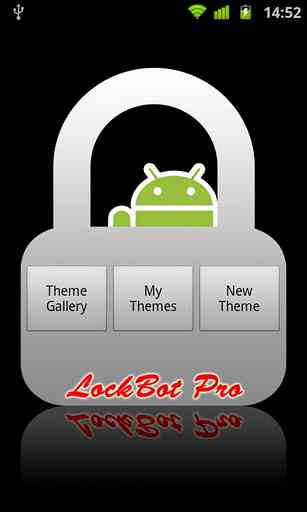
LockBot Pro v1.18.0 Apk App


Requirements: for all Android versions
Overview: Want a different lock screen, try LockBot, customize lock screen with your style
LockBot is a lock screen editor.Customize by yourself or download from Theme Gallery.

★Theme★
- Honeycomb
- Ice Cream Sandwich
- iPhone
- Hero
- Eclair
- Froyo
- X10
- Galaxy

★Bacground★
Set lock screen background from
- Flickr
- Picasa
- Wretch
- Pics on your SDCard

★Feature★
-Change unlock sound
-Customize clock style(Digital, Analog)
-Schedule theme play list
-Set unlock security(Password, Graphic Pattern)
-Shake unlock
-LockNow widget

What's in this version:
+ New Ice Cream Sandwich Style

Download Instructions:
http://www.filesonic.com/file/JHPAeVR

Mirror:
http://www.MegaShare.com/3819085
Read More >>

CallRecorder v1.0.44 Apk App


Requirements: Android 2.2+
Overview: This program records phone calls from the phone line on some phones. Such recording is not usually available out-of-the-box, it needs hardware support in your OS kernel and root access.


If you have an HTC device, you're in clover if you've got a custom ROM. Otherwise, please visit the xda site, there're plenty. Basically any device is supported, provided that it's based on a Qualcomm chip, say, their Snapdragons, etc. If your device has no such support, the program still records phone calls, but you need to select Android API in preferences and the recording will most likely proceed from the mike, not from the line. Please feel free to make any comments or send suggestions.

For more information, please, read thread on xda-developers.com - http://forum.xda-developers.com/showthread.php?t=993793

Issue tracker: http://code.skvalex.com/callrecorder/issues

The list of supported devices:

Requires the kernel with 2-way call recording patch and ROOT permissions:
- HTC Desire
- HTC HD2
- Google Nexus One
- HTC Desire HD
- HTC Desire Z
- HTC Desire S
- HTC Incredible S
- HTC Thunderbolt
- HTC Sensation
- HTC EVO 3D (CDMA)
- HTC Hero
- HTC Wildfire
- Acer Liquid mt
- Dell Streak
- ZTE Blade
- HighScreen Cosmo
- Acer Liquid
- Sony Ericsson XPERIA ray
- Sony Ericsson XPERIA arc
- Samsung Galaxy S II X (SGH-T989)

Use standard API for recording (may record from the mic):
- Motorola Defy (Preferences: Audio source - microphone)
- Sony Ericsson XPERIA mini pro
- Samsung GT-I9000 Galaxy S (Darky's 9.5 ROM)
- Samsung GT-I9001 Galaxy S Plus
- Samsung GT-I9100 Galaxy S II (Preferences: Audio source - voice uplink, and voice downlink for BT)
- Samsung GT-S5570 Galaxy Mini
- Alcatel OT-990

What's in this version:
Recording data are now stored in recording files themselves
UI improvements
Language selection in settings

Download Instructions:
http://www.filesonic.com/file/zQfxSLv
http://www.multiupload.com/824UYHUW7W  
Read More >>

YouTube Remote v2.0.7 Apk App


Requirements: Android 2.0+
Overview: Turn your Android device into a YouTube remote control!

Control the YouTube experience from the comfort of your couch!
With YouTube Remote, you can use your Android phone or tablet as a remote control for YouTube videos on your desktop computer or Internet TV.
Simply visit youtube.com/leanback on your computer or TV, log in, and YouTube Remote will automatically connect!
If your friends also have YouTube Remote, you can invite them to connect as well and share control of the playlist.
Not sure who that actor is? Want to hear more songs from this artist? Click on the ‘Topic’ button for a world of information about the video you’re watching.

Download Instructions:
http://www.filesonic.com/file/jCgO6Q...e-14-2.0.7.apk 
Read More >>

Google Offers v1.1 Apk App


Requirements: Android 2.1+
Overview: Discover, buy and redeem great deals with your Android phone.

From food to fun, Google Offers connects you with great deals every day in your city. Discover, buy and redeem Google Offers without the need to print them. A city is what you make of it: start exploring today!
Available Now: Atlanta, Austin, Baltimore, Boston, Brooklyn, Chicago, Columbus, Dallas, Denver, Detroit, Fort Worth, Houston, Indianapolis, Long Beach, Los Angeles, Miami, Minneapolis, NYC, Philadelphia, Phoenix, Pittsburgh, Portland, Oakland / East Bay, Orlando, Sacramento, Salt Lake City, San Diego, San Francisco, San Jose, Seattle, St. Paul, St. Louis, and Washington D.C.


Download Instructions:
http://www.filesonic.com/file/KkPpGJ...ers-17-1.1.apk 
Read More >>

Google Videos 1.4.2 Apk App


Requirements: Android 2.2+
Overview: Official video player for Android Market movie rentals.

Official player for the movies you rent from Android Market. Select from thousands of movie titles in Android Market and begin watching instantly -- no wires, no syncing, no hassle! Make your movie rentals available for offline use on your supported Android device so you can watch even when you're not connected.
Also get quick access to your personal video collection, including those you’ve taken yourself using your phone or tablet camera.


Download Instructions:
http://www.filesonic.com/file/u0M8lU...1402-1.4.2.apk 
Read More >>

Market Unlocker v3.0.8 Apk App


Requirements: Android 2.2+
Overview: Market Unlocker lets you access paid or restricted apps in Android Market 2.x and 3.x and Amazon Appstore in one click. It's safe, stable, simple and free.

For some apps are just enabled for some specific countries and not available to the other countries,so it is very difficult to download many high quality software. Market Unlocker lets you access paid apps from countries where paid apps are not yet available.
Require:
***Get Root permission
***Have installed Android market
***Have installed Amazon appstore (optional)

Features:
***Change provider in one click
***Change provider automatically on boot or switch to flightmode
***Proxy support for market 3.x. It support HTTP, Socks4, Socks5 proxy and user authentication.
***Support Amazon Appstore outside USA.
It is not permanent, will be original after reboot or flight mode! So if you want to back to default market,just reboot or reset flight mode, but you can check "Auto Unlock" to fake it again automatically.
+++++ IMPORTANT UPDATE +++++
You can keep proxy disabled for your market 2.x, only check "Market Unlocker" to enable the function.
To work with new market 3.x,
1. Configure a USA (surely you can use other countries ip if they also support to show paid/restriced apps) proxy server and fill into market unlocker.
2. Enable proxy
3. Choose provider (optional. by default verizon is selected)
4. Check "Market Unlocker" to enable function.
That's all. Open Android market again, paid apps now are back to you. Good luck!
+++++ New update since version 3.0.8 +++++
Amazon Appstore is supported.
Basically Amazon appstore does not allow users to buy paid apps from outside USA, even if users have been registered use US credit card and US address.
Market Unlocker can also set a USA proxy for Amazon appstore to help you buy daily free apps as well as paid apps.
To achieve this:
First install Appstore app, otherwise the function checkbox will not be visible.
1. Go to Proxy tab
2. Configure Proxy Type, Proxy Host, Proxy Port. Please make sure you're using an effect USA proxy server first.
3. Check "Involve Amazon Appstore" button
4. Enable "Enable Proxy" to "ON"
Then open Appstore again, it should now work for you.
Note: There's no need to enable "Enable Unlocker" for Amazon Appstore.

Q&A:
Q:where I can find free USA proxies? and why don't you provide proxies in this app?
A:search google. one example, http://proxy-ip-list.com/free-usa-proxy-ip.html. As they maybe frequently expire or be blocked, it does not make sense, even if leeching them automatcally somewhere.
Q:why I need use an USA proxy?
A:market 3.x is checking your ip address country. fake provider does not work any more. we need make it looks like a us user as well(from usa).
Q:why I can not connect to Market after enable proxy?
A:proxy server is broken or not supporting your request. try another proxy or disable proxy for free apps installation.
Q:why I enabled proxy, but still no paid apps visible to me?
A:you might have used a non-us proxy.
Q:How can I get a working US Amazon account?
A:Get a US billing adress and creditcard. If you don't have that you should generate the info from a site like this: Fake Name Generator(http://www.fakenamegenerator.com/
). Keep in mind though that you won't be able to buy anything with it, but you can download the free apps of the day.

Credits to:
ProxyDroid
MarketAccess
Known issue:
FC on 3.0,3.0.1,3.0.2 for migration issue, please upgrade to 3.0.3 or re-install any version.
Keywords:
Market Enabler, Proxy, Show paid apps, Android Market 3.4,Fake market, unlock market, Powerful market, Apps display, Apps wall, paid market, free apps, simple unlock, Amazon Appstore, buy outside USA, daily free.

Download Instructions:
http://www.filesonic.com/file/NrsxTxu
Read More >>
 
© 2011 Free Android Apk Apps & Games Downloads | Except as noted, this content is licensed under Creative Commons Attribution 2.5.
For details and restrictions, see the Content License | Recode by Ardhiansyam | Based on Android Developers Blog